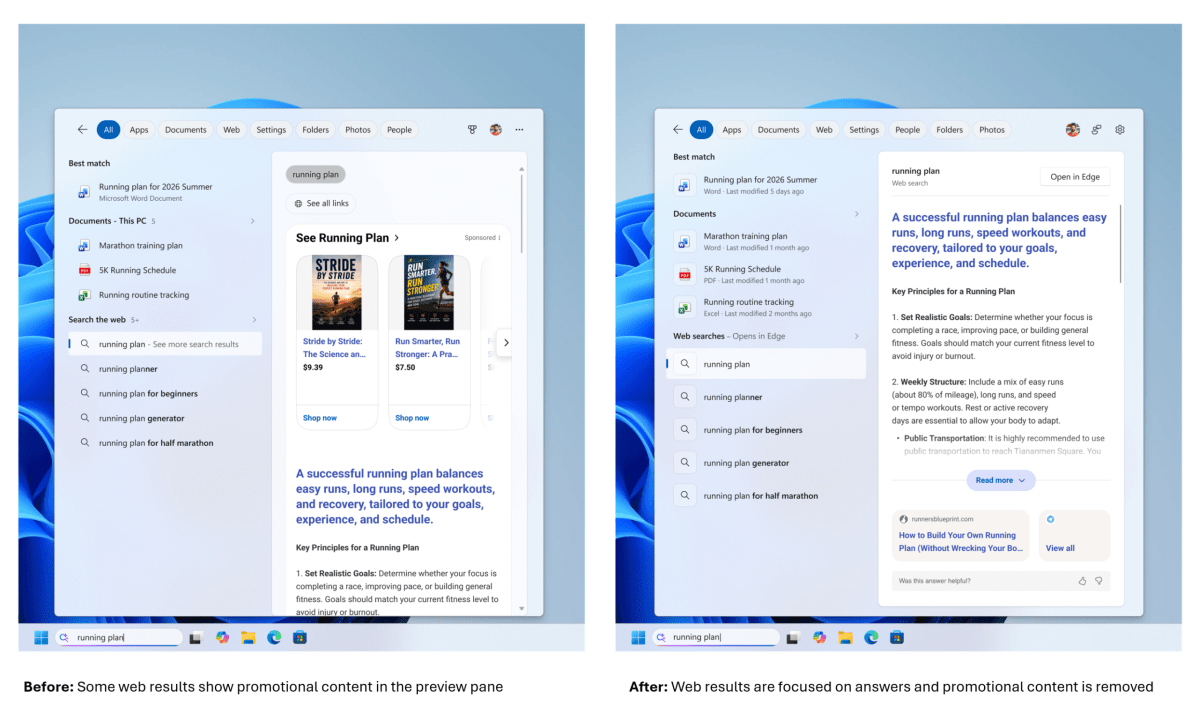
Microsoft is revamping Windows Search to make it more streamlined and user-friendly, aligning with users' long-held requests for a straightforward search function. The revamped search interface will eliminate visual clutter, promotional links, and ads, allowing users to focus on finding the content they need.
The updated Windows Search will feature a cleaner home screen, removing extraneous references and links to unrelated content. This change is part of Microsoft's broader effort to return to Windows' roots and improve the overall user experience.
Microsoft is also introducing several key features to enhance the search functionality. These include showing recent searches, presenting file previews, and providing clear indicators of local versus web search results. This will enable users to quickly find and access the files they need, without getting bogged down in irrelevant information.
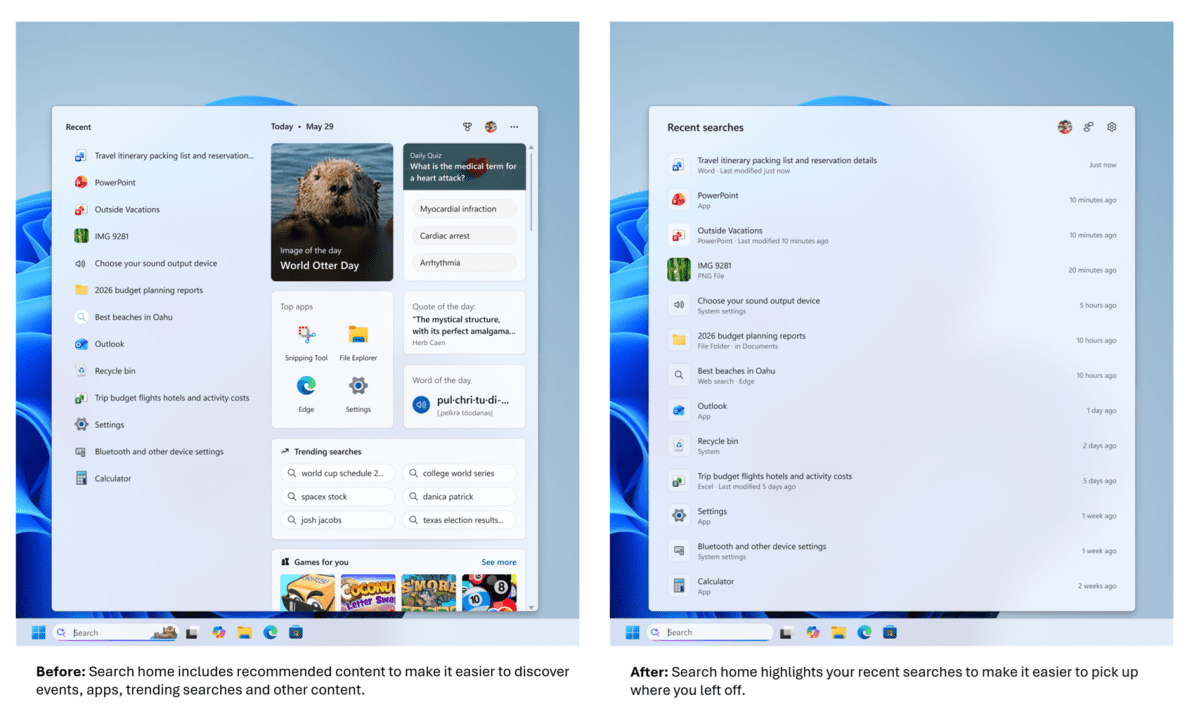
A cleaner search interface and improved feature set are long overdue for Windows Search. By prioritizing local search results and streamlining the search process, Microsoft is taking a significant step towards making Windows Search the go-to destination for finding content on a computer.
Additionally, Microsoft is incorporating AI-powered search features, including the ability to misspell search terms and still retrieve relevant results. This is a welcome change, as it will help users find what they're looking for even if they don't enter the exact term.
These updates aim to address one of the main issues with Windows Search: taking users to the relevant content without requiring them to navigate through multiple entries. By making these changes, Microsoft is working to make Windows Search a more efficient and effective tool for finding and accessing files and content.
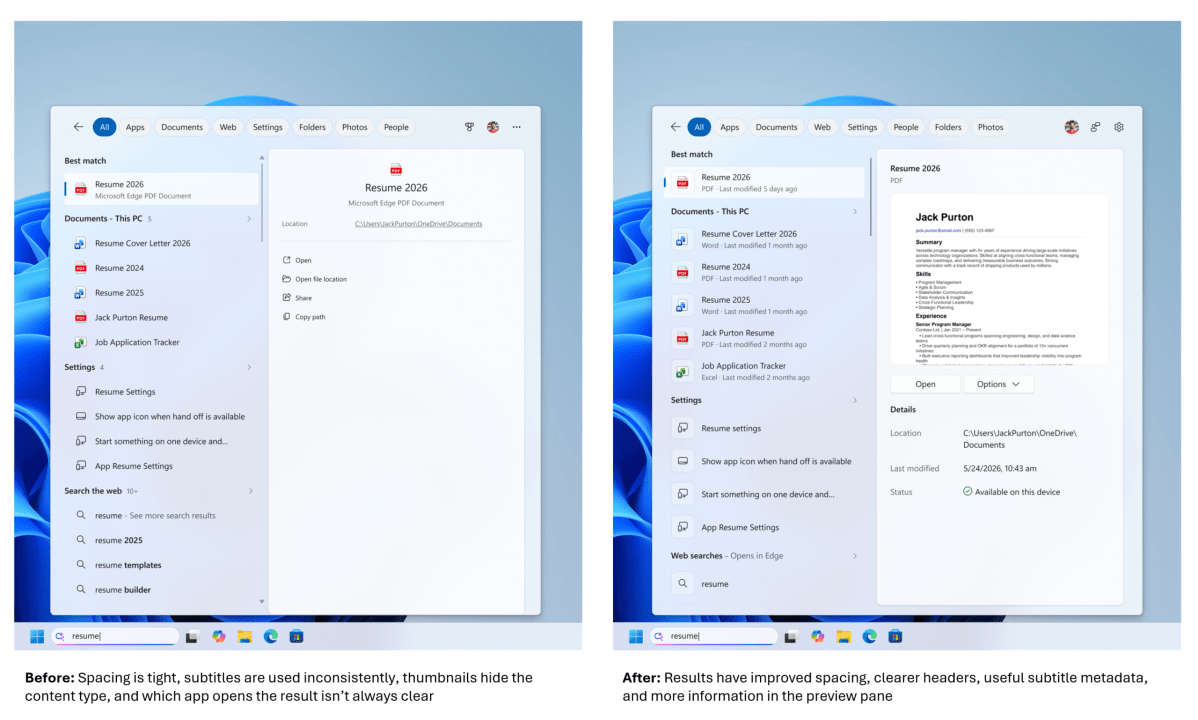
While some may question why these features weren't introduced earlier, the changes are nonetheless a welcome improvement to the Windows Search experience. With a continued focus on user needs and a more streamlined interface, Microsoft is on the right track to making Windows Search the best it can be.